
For family · Week 6
How Tuno watches for scams
What Tuno checks, what it warns about, and where you'll see it.
Scams are usually the thing families worry about most, so here is exactly what Tuno does about them. No vague reassurance.
In the browser
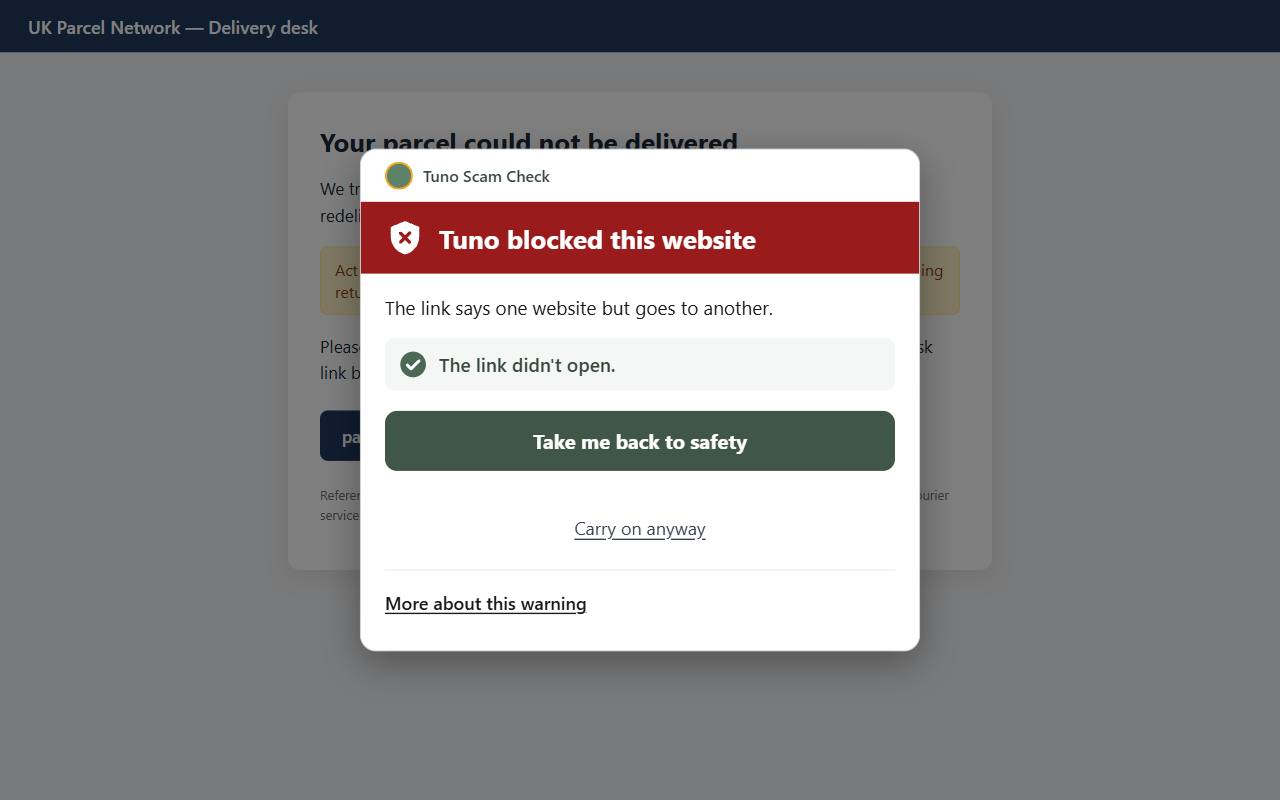
With Tuno's browser helper installed in Chrome or Edge, it watches for the usual tricks: fake login pages, links that don't go where they claim, forms on sites it doesn't trust.
When something looks wrong it puts a plain warning across the page and says what worried it. That last part is the important bit. Blocking a page without saying why doesn't teach anyone what to watch for. Explaining it does.
In email
They can check any email by clicking "Is this email safe?", either in their browser or on the Outlook ribbon if they use the Outlook program. Tuno looks at the real sender rather than the display name, where the links genuinely go, what any attachments are, and whether the wording uses the pressure tactics scams rely on. Then it answers plainly: safe, be careful, or don't trust it.
Tuno also speaks up unprompted if they go to reply to or forward something suspicious, and if they start typing card or account numbers into a message.
Tip
Tuno has been showing them how to use the email check. A reminder from you carries considerably more weight than one from us. "Just get Tuno to check it first" is a good habit to plant.
Where you'll see it
Each month the Safety summary page of your Family Portal shows how many emails Tuno checked and how many it warned them about, and how many websites it warned them about or blocked. It's numbers only, so you can notice a change without seeing their private messages.
What Tuno will never do
- It will never ask them to pay for anything inside a chat window.
- It will never ask for a password, a PIN or a card number.
- It will never take control of their computer or click things for them.
Take care
Those three rules are worth telling your relative directly. If anything ever claims to be Tuno and does one of them, it isn't Tuno.
Read next
Still have a question about Tuno?
Email us about Tuno and we'll help. There's no wrong question, and you can take your time. For help with your own computer, printer or emails, just ask Tuno.
Already signed in? You can also chat with support from My Tuno Help.